• After catching up with my last remaining rigging commission, I’m back with another update on my isopod-themed Live2D model!

    I’ve recently added glasses, neck, and torso to the model during my free time!

    I’ve almost forgotten how lightweight it feels to draw a Live2D model using only the necessary parts, without a full nude base. The raw Clip Studio Paint project file is currently just around 88MB, and that already includes the timelapse, which is amazing! I remember doing the same thing for a commissioned Live2D model, only for the project file to end up being 2GB…

    Here’s a timelapse video of my current progress!

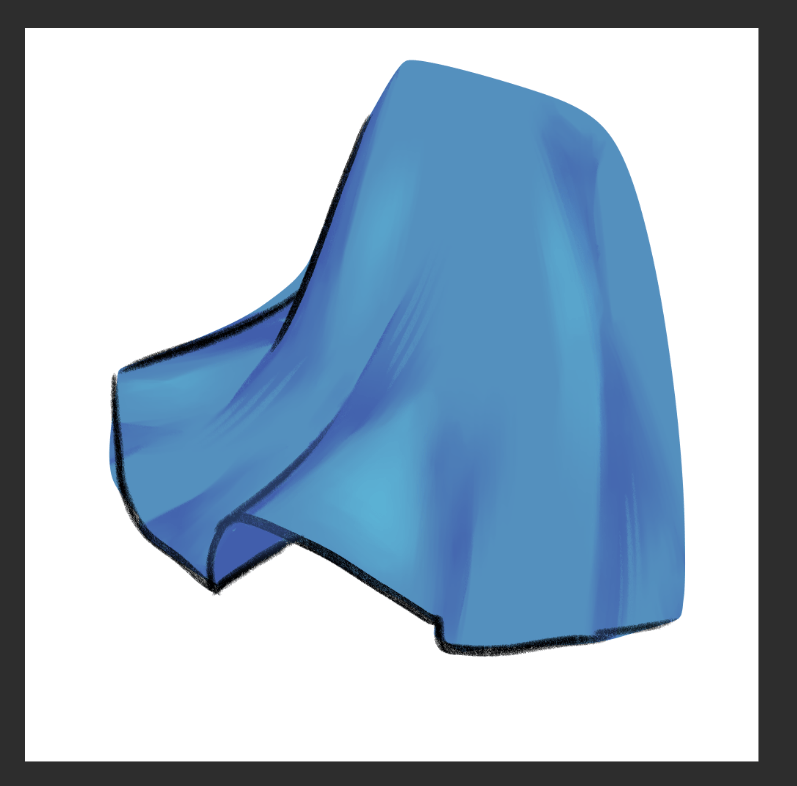
    Instead of drawing everything part by part, I tried drawing certain elements as a whole within a group folder, duplicating that folder multiple times, and then cutting or filling them based on their assigned parts.

    I think this technique really helped me stay focused on the coloring and shading process I usually do for my illustrations, so I’ll stick with it. Plus, I get to see the rendered part as a whole, which helps me check if everything blends well!

    Yapping about brushes

    Speaking of blending well, I want to yap a bit about the brushes I use for coloring!

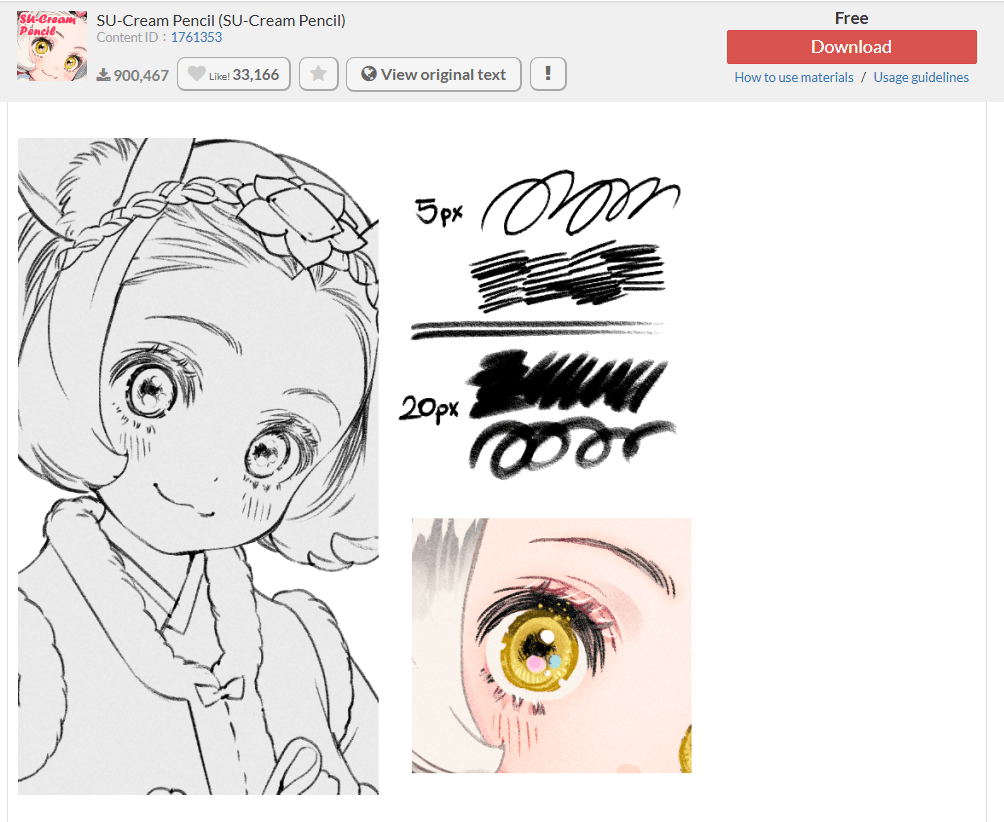
    My all-time favorite is the SU-Cream Pencil made by Yuriky.

    This pencil brush has been my go-to for drafting and sketching for years. It’s also the main brush I use for line art and blocking out colors while working on my model. I wanted a rougher, thicker, and crisper texture compared to the soft, thin line art that’s commonly used in Live2D models.

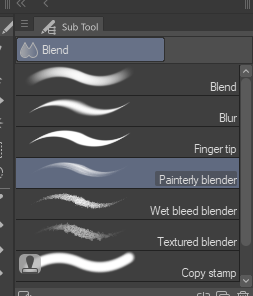
    For blending, I love using Clip Studio Paint’s default Painterly blender brush! It feels like a match made in heaven when I use this alongside SU-Cream Pencil during the coloring phase.

    Here’s how I use both brushes!

    I block out or sketch out the colors using the SU-Cream Pencil.

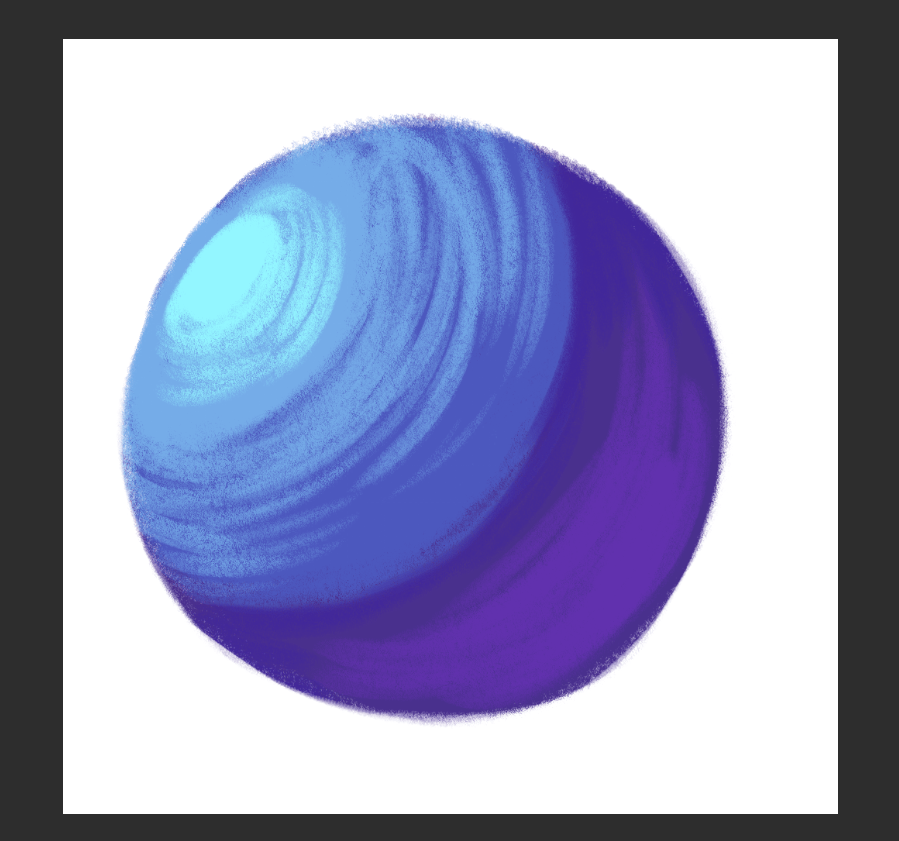
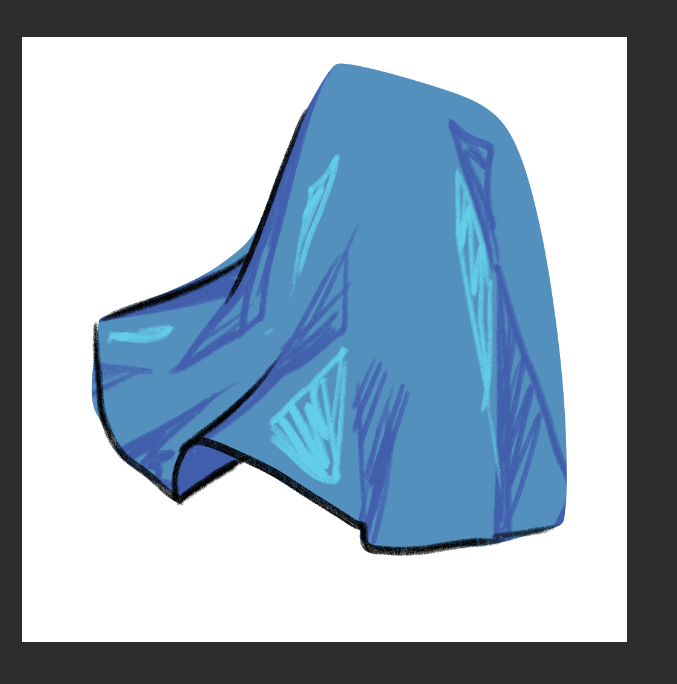
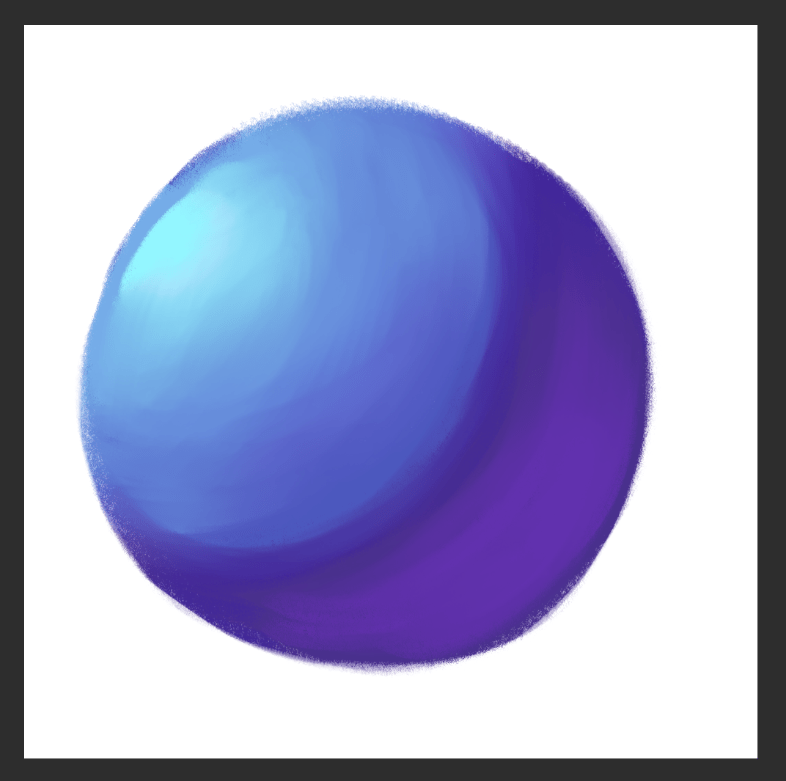
    I blend the colors using the Painterly Blender brush, and sometimes add hatching details with the SU-Cream Pencil to give the shading more texture.

    I think that’s about it! My coloring and blending technique is pretty simple, but the results definitely show how far you can go with just these two brushes. It’s not the best when it comes to the ball, but it stands out so much on the skirt with just scribbles of color blended in, which is what I normally do when I color and blend.

    I hope my little yapping session will help those who are trying out different coloring techniques, and maybe get to know me a little bit as an artist. While you’re waiting for my next update, feel free to check me out on Twitch and YouTube where I stream my works!

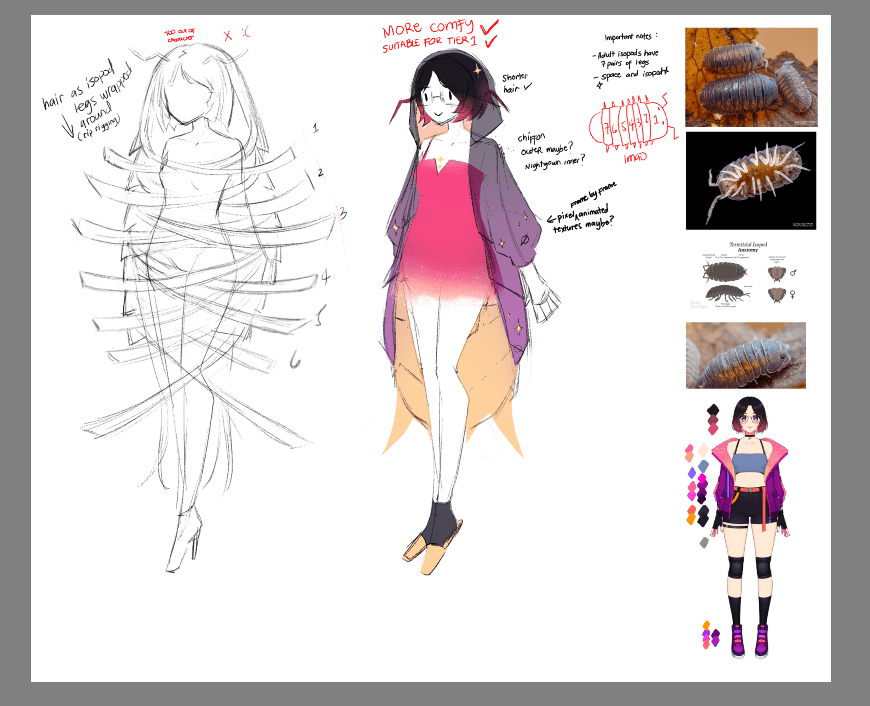
  • While waiting for Live2D Cubism 5.3 to officially come out, I’m creating a simple model for myself from scratch.

    I’ve been meaning to design an outfit or theme related to isopods and space for a while now, but I didn’t have the time to make it happen. Add to that the fact that I haven’t done much designing for a while as it does take time for me to cook something up.

    During my free time while working on a commission, I tried designing it in Krita.

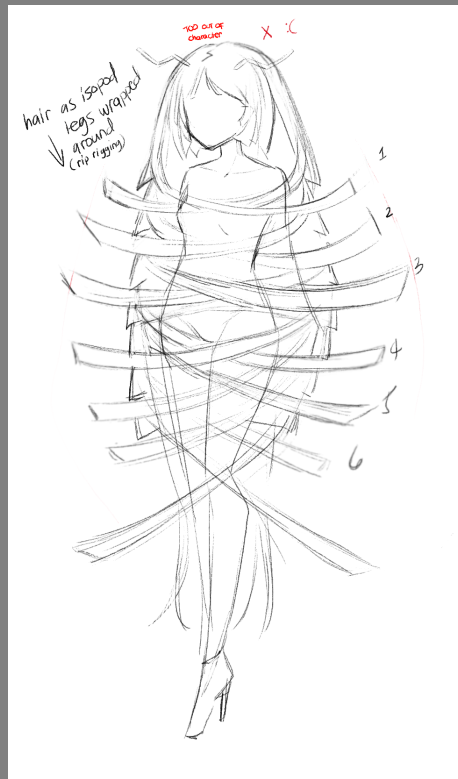
    Design Attempt #1

    At first, the initial design felt “too much” and out of character, and I’ve completely forgot about the simplicity. I thought it would be a cool idea to use the isopod legs as hair that wraps around the body.

    I didn’t even get around to designing the outfit because the hair was already so overwhelming. Not my brightest idea, considering how I’m going to separate and rig it in Live2D…

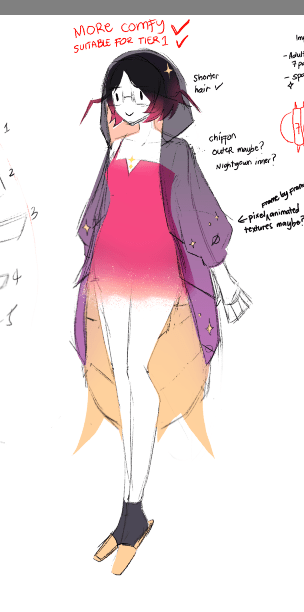
    Design Attempt #2

    I took a step back and let my ideas sit for a week or so, trying to revisit the concept of keeping the model simple.

    By “simple,” I mean something that’s easy to make as a Live2D model, simple to rig, and also fanart-friendly. Nothing that would involve more than 300 layers. That kind of simple.

    I went for a comfier vibe to contrast with my 5.0 model. I also think it’s a pretty clever idea, since isopods are nocturnal, which is totally me, for real.

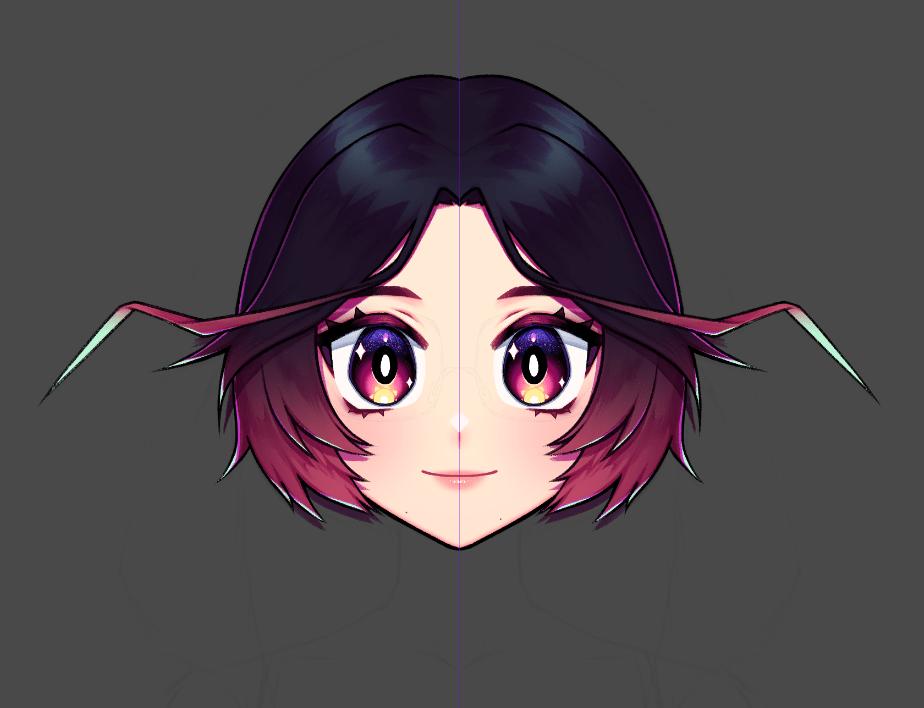
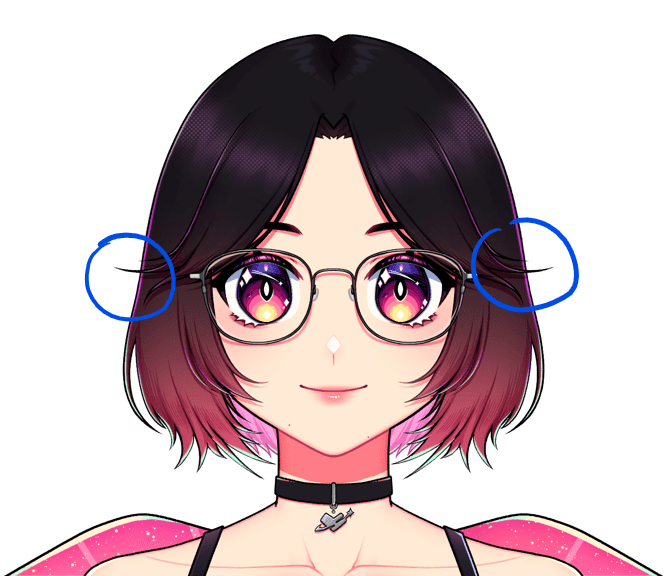
    Instead of attaching a separate antenna to the head like in the first attempt, I incorporated the antennas into the model’s bangs. My 5.0 model already has curtain bangs that flare outward, which gave me the idea to extend some strands to resemble isopod antennas.

    Here’s what the work-in-progress looks like so far!

    For rigging, I’ll be adding animations to the antenna-bangs to mimic how isopod antennas move in real life — from fast, wiggly motions to slow wiggles, and even lowering down when the model plays a sleeping idle animation. Certain animations can also be triggered by specific expressions, like when I get angry!

    I’ve only finished rendering and separating the head parts, which usually have the most components in a Live2D model, but at least that part is done!

    I’ll slowly start working on the body next, but I won’t be adding a nude base to the model, so it won’t be too complicated.

    Other Plans

    I’m planning to release a paid, low-res PSD file of my Live2D model for anyone who wants to study and learn from it. It’ll include PSDs with both simple and advanced separation methods, and it follows Live2D’s naming convention so people can see how things are built from the ground up.

    I think it’s a fun and helpful way for aspiring Live2D artists to learn from someone who actually draws and rigs these models. Hopefully it’ll make the process feel a little less intimidating!


    Thanks for reading through this little progress log! I’m excited to keep working on this model and share more updates as I go. Stay tuned for more!

  • Hey guys! I hope you’re all doing well and staying safe!

    I’ve been revamping my PerfectSync Mouth Study file after discovering new techniques that make it more optimized and easier to rig.

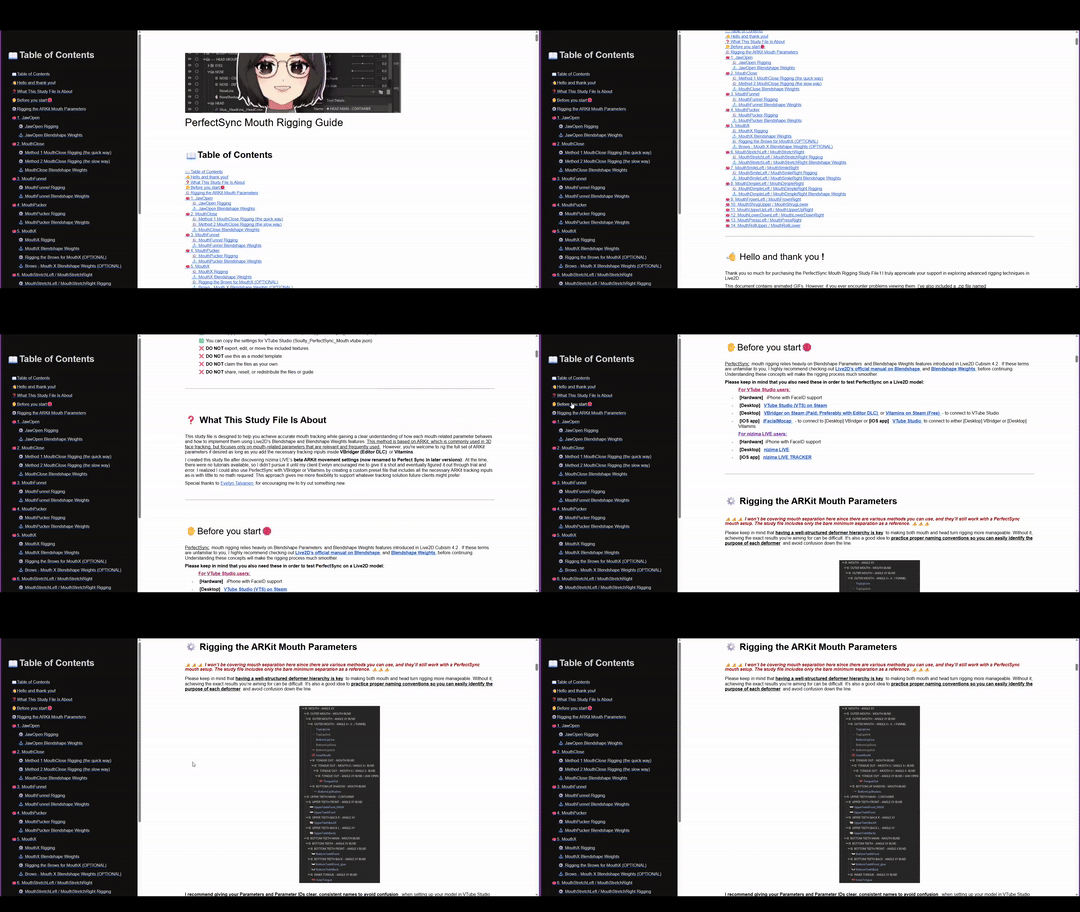
    I’m also working on an in-depth rigging guide in HTML format. It started as a Google Doc, but since I couldn’t embed videos there, I’ll be exporting it as an HTML file and editing it to include a sidebar and video support!

    Here’s a sample of what it’s going to look like:

    It’s about 70–80% complete. I’m also planning to include extra mouth shape rigging, along with setup instructions for VTube Studio and nizima LIVE. Hopefully, I’ll be able to finish everything by the end of the year.

    I’ll be releasing it on my Patreon, as well as Ko-Fi, BOOTH, and itch.io at a discounted price for a limited time, so stay tuned!

  • Things have been pretty quiet lately. I’ve mostly been busy with Live2D rigging commissions, so there’s not much else going on. It’s been a lot of tweaking parameters and making sure everything tracks smoothly.


    I also had a bit of a mess with the XP-Pen Artist Pro 16 Gen 2 I ordered. The courier delivered it wet, and the box had some minor damage. My refund request got approved thanks to all the footage and evidence I’ve provided. I hope I get to find a local shop selling the same thing, though.

  • Henlo guys, it’s been a while.

    I’ve been away for almost a month after wrapping up commissions. I’ve completed 5 Live2D models and 3 Live2D model add-ons last month of June. After all the grind, I decided to give myself a well-deserved break and a light detox from social media.

    Turning 28: Celebration and Cutting Ties

    Late June was a milestone for me. I celebrated my 28th birthday with my close group of friends and family, which was actually the first time I invited them to something like this. With our schedules all over the place, it felt so nice to catch up and be together. Big thanks to my partner for encouraging me to make it happen. I wouldn’t have pulled it off without a little push. It’s definitely a breath of fresh air compared to what I’m used to, which is celebrating my birthday at home by going about my day and sleeping.

    Two days before the celebration, things took an unexpected turn. Someone was disappointed about not being invited, and the situation escalated more than we anticipated. While I understand feelings can run high, I also believe in setting boundaries. When it comes to personal milestones, it’s important to choose who we surround ourselves with. This individual had a long history of difficult behavior, and after almost a decade of trying, my friends and I decided it was best to part ways with them. Making that choice brought a noticeable sense of relief. We no longer feel like we’re walking on eggshells, and that peace has been long overdue.

    Thankfully, the party went off beautifully. My group of friends, my partner’s friends, and family all came through and made it super special. I don’t usually do birthday celebrations, but this one really meant something to me, and I appreciate all of them.

    The Aftermath

    Right after the birthday celebration, we came down with the flu. I ended up spending most of the week in recovery mode, pretty much confined to bed.

    While bedridden, I picked up Golden Sun: The Lost Age for the first time on my Anbernic RG 34XXSP. It’s been a fun escape, and I’m really enjoying it. I probably should’ve started with Golden Sun, BUT NO WORRIES, because I’m also playing it on my R36S retro handheld console!

    Back to the Grind

    Now that I’m feeling better, I’m getting back into the groove. Been working on new Live2D Model Showcases so I can reopen commissions this month. Slowly catching up, slowly getting excited. If you’ve been waiting, thank you for your patience!

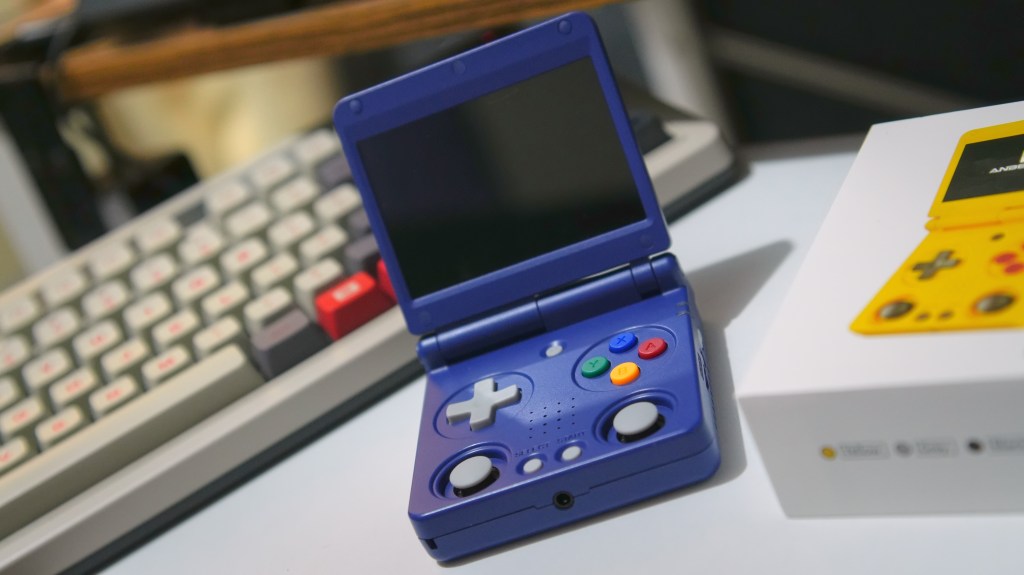
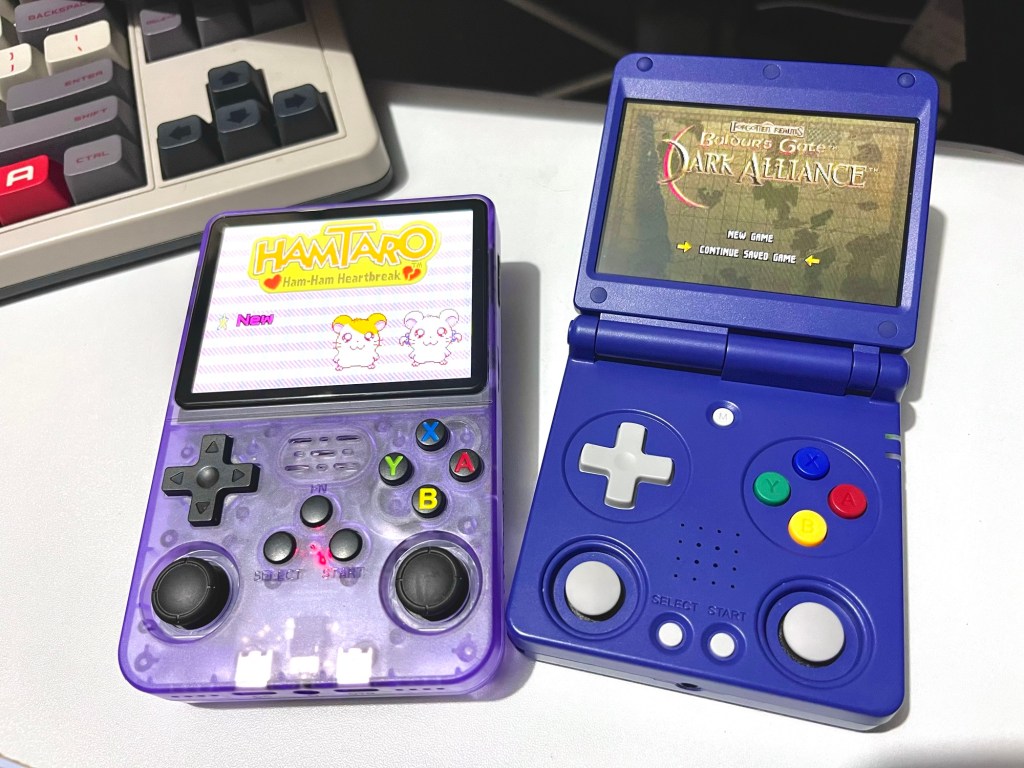
  • As an early birthday surprise, my partner got me the Anbernic RG34XXSP. Since we were out of town when it arrived, he also picked up the R36S for me while we were at TOYCON 2025. We spotted it at the GameCove PH booth, and I couldn’t resist giving it a try while we were there.

    Now that we’re back home, I finally got the chance to sit down and try both. Here are my first impressions of the two retro handhelds.

    R36S at a glance

    Image taken by Soulty Ragevin

    We got the 64GB version of the R36S for ₱2,000 from GameCove PH’s booth at TOYCON 2025. While it’s a little pricier than the ₱1,600–₱1,800 listings on Shopee (especially with vouchers), it was still a nice convention find.

    Quick Notes:

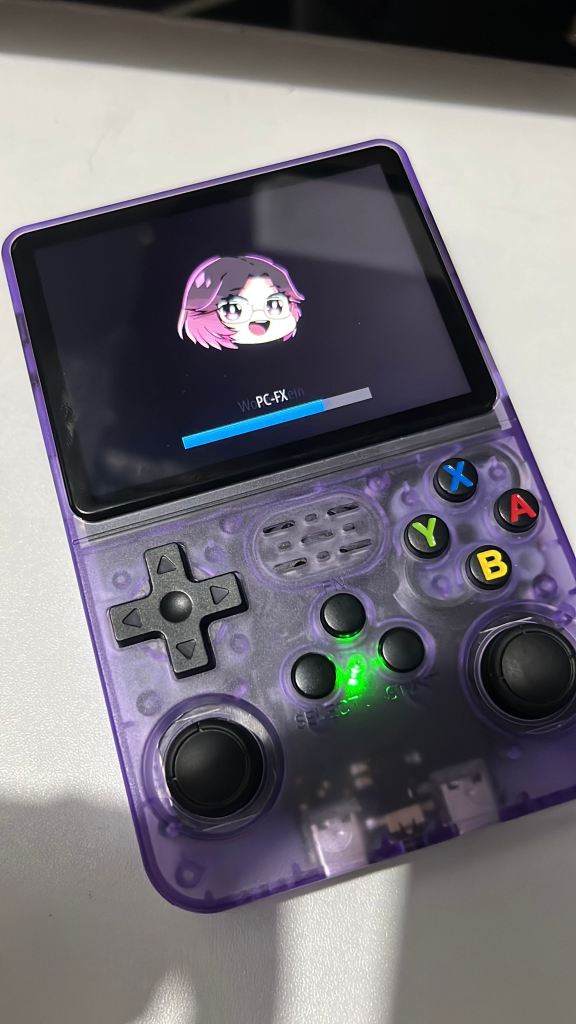
    • The ArkOS it came with was pretty outdated, and the boot-up time was noticeably longer at 25 seconds. So, I tinkered with it and updated it to the latest version, which helped reduce the boot-up time. I also added my little chibi to the startup screen!

    What I Liked:

    • The purple transparent shell hits that nostalgic sweet spot. I’m a sucker for retro designs, especially clear casing.
    • Comfortable fit in my hands. Could also be great with bigger hands.
    • The joysticks have a satisfying click and decent size.
    • The screen is 3.5 inches, giving enough room to enjoy games.
    • Battery life lasts around 4–5 hours.

    What Could Be Better:

    • Buttons feel a bit squishy and raised, and the trigger buttons are on the tackier side but not really that big of a deal.
    • Inner trigger buttons feel awkward to reach.
    • The screen colors look washed out, even with adjusted settings.
    • 20-second boot-up time.
    • UI is text-heavy and clashes with the default background, not the most intuitive.
    • No built-in Wi-Fi (though Wi-Fi adapter support is available).
    • Audio becomes crispy at high volume, with slight delays during heavier games.
    • Struggles with PS1/PSP titles, or heavier games.

    Unfolding the Anbernic RG 34XXSP

    Image taken by Soulty Ragevin

    Image taken by Soulty Ragevin

    My partner got this one on Shopee for ₱3,880 after using vouchers, as a surprise gift for me. He even chose the blue color that closely resembled my old Game Boy Advance SP, which I had mentioned to him a year or two ago. I appreciate that he remembered it ;w;

    What I Liked:

    • The Indigo color immediately reminded me of my old Game Boy Advance SP.
    • I adore the compact clamshell design. It’s travel-friendly and easy to throw in my tote bag.
    • Handling feels great, but again, maybe not the best for bigger hands.
    • Button feedback is firmer and more tactile, and the lower height makes it faster to press.
    • The IPS screen (3.4 inch) pops with vibrant colors and sharpness.
    • 18-second boot-up time.
    • Built-in Wi-Fi and Bluetooth.
    • Comes with apps like a music player, video player, and e-book reader.
    • User interface is sleeker, with console icons that are easy to distinguish. Plus, I can customize them!
    • Performs well with heavy games, especially PS1 and PSP games.
    • Battery life is also 4–5 hours.

    Minor Quirks:

    • Joysticks feel a little bit tight or small to my liking, but understandable since they have to fit the sticks in such a compact form.
    • Like the R36S, audio can be too crispy at higher volumes.
    • Reaching the inner trigger buttons is still a bit awkward, though better than the R36S.

    Final Thoughts

    I’ve grown attached to both devices and use them for different gaming moods.

    The RG34XXSP is my go-to for a lot of games. Its portability makes it ideal for chilling anywhere, anytime, whether it’s on the couch or at the mall.

    Meanwhile, the R36S is still a comfy handheld for GBA titles and chill, low intensity games, especially when I want to relax in bed. It’s also going to be my tinkering toy, thanks to ArkOS, though I’ll need a lot of brainpower to make it happen.

  • Henlo guys!! I just dropped a new video on my vlogging channel.

    Still getting the hang of showing my face on camera and figuring out my video editing style, but here we are! In my latest vlog, I shared three things I bought to draw on the go: a sketchpad, crayons, and a pen.
    Nothing fancy. Just simple, fun tools to spark creativity wherever you are.

    Check out the vlog here!

  • Another collab with nizima LIVE, health update, and more!

    Second collaboration with nizima live

    After the nizima LIVE team saw my post on X/Twitter, I’m thrilled to share that the nizima LIVE team has reached out to me again for another collaboration!

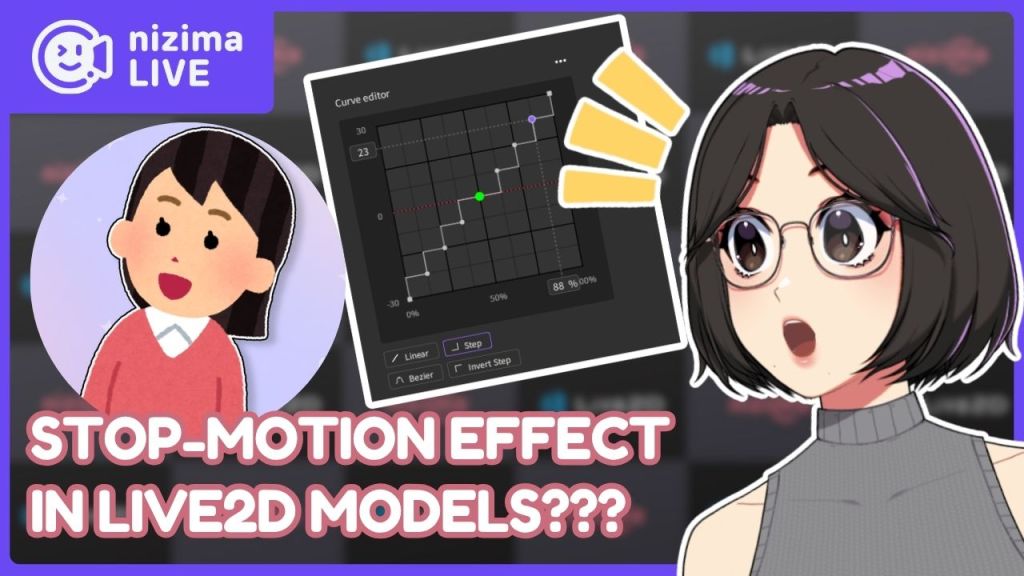
    This time, I made an in-depth video about nizima LIVE’s Parameter feature! I talked about how to use the Parameter feature, how to fine-tune Live2D models, and how to create a stop-motion effect using the Parameter Feature.

    Check out the video if you want to learn more about it. Thank you to nizima LIVE and Live2D Inc. for sponsoring this video!

    In my X/Twitter post, I demonstrated how to give a Live2D model a stop-motion effect using nizima LIVE! I never expected it to gain so much attention, but I’m grateful for the opportunity it created. It allowed me to collaborate once again with the nizima LIVE team and Live2D Inc., and I’m truly honored to work alongside them.

    Working on my second collaboration with nizima LIVE was an exciting challenge, especially when it came to editing the video.
    This time around, I decided to do everything in DaVinci Resolve Studio, a big shift from my first project where I used Adobe After Effects and Adobe Premiere Pro.

    One of the biggest differences I noticed was speed. DaVinci Resolve Studio made the entire editing process much more efficient, from timeline adjustments to rendering. In many ways, it feels like Adobe After Effects and Premiere Pro combined into one program.
    I was also able to use DaVinci Resolve’s Fusion page, which, based on my experience, is the “After Effects” section of DaVinci. Working with Fusion Nodes was completely new to me, so I had to take some time to understand how they function.

    Since this was my first time editing a long-form video entirely in DaVinci Resolve, I had to adapt to a new workflow, but I quickly realized how streamlined it was compared to my previous setup.

    In the end, I’m really happy with how it turned out. It was a great opportunity to push my skills further, and I’m looking forward to seeing how this experience influences my future projects.

    Health-Scare during a busy month

    In mid-May, I noticed a lump on the right side of my neck. At the time, I was juggling commissions and editing the nizima LIVE video, making it one of the busiest periods of the month.
    Discovering the lump in the middle of everything made me incredibly anxious, and I broke down in tears.

    We had to leave town immediately to get it checked and ended up staying at a friend’s place for a day or two.
    The doctor suspected it might be a viral infection, but since I wasn’t experiencing any other symptoms, they simply prescribed milk and vitamins. Definitely not what I expected!

    I was advised to monitor the lump for a week and return for an ultrasound. Coincidentally, that week was also when I wrapped up the video and submitted it for approval, which thankfully got the green light.

    When I went back for the ultrasound, the lump had completely disappeared.
    The relief I felt was indescribable, and with the collaboration finished, I could finally shift my focus back to my commissions.
    The uncertainty of it all weighed on me, knowing that it could have been something far more serious and even life-threatening. This experience was a reminder to take health concerns seriously and not ignore even the smallest signs.

    Despite the stressful situation, the trip had some fun moments too. We got to spend time with friends and family, which helped take my mind off things. My partner, friends, and I went to the cinema to watch Thunderbolts*, which felt like a refreshing take from Marvel. We also checked out Fanfes at OneAyala Mall and got hooked on FANTASY LIFE i: The Girl Who Steals Time. Even though it was a short trip, I’m really happy with how we made the most of it.

    I truly appreciate all the well-wishes from family, friends, and everyone who checked in on me. Thank you all for your support!

  • These past few weeks, I’ve been fully locked in. The heat’s been so intense that I had to switch back to a night shift schedule. I just can’t get anything done during the mornings or afternoons. Despite that, I managed to finish rigging three commissions and an add-on from a previous client, so it’s been productive.

    That said, I really want to share a model I’m super proud of! I recently finished rigging it, and it included some features I’ve never worked on before.

    It’s actually my first time rigging hair like this, and I’ve got to say, the artist, Noto_2D, did an amazing job adding the back hair parts I requested.
    I gave her a visual guide to help her just in case!

    I didn’t want to make compromises on the parts the model originally had before adding the back hair because, first, I didn’t want to misrepresent the artist’s work, and second, it wouldn’t reflect my rigging properly if I went ahead with it. Stretching the hair parts would’ve looked unrealistic, so I avoided that.

    Sometimes you’ll encounter artists who refuse to cooperate and revise the parts and don’t allow cutting, which can be frustrating, so I appreciate and will always recommend artists who work alongside riggers to make sure the model gets all the love and care they deserve!

    Another thing was the Kabedon toggle. The model has a Body Lean paired with the Kabedon arm toggle, and I’m pretty happy with how it turned out! Huge thanks to Noto_2D for sharing reference images beforehand. She has been super helpful, and I really appreciate it.

    My client, Kailyle has also been very kind throughout the process, and I truly appreciate both of them.


    After wrapping up one model, I jumped right into working on another client’s project during my stream.
    https://www.youtube.com/live/oCVYAVHhMJ8?si=YutfSsMNGVHTeSiY

    It was pretty frustrating to realize that the rigging process hit some problems due to the clipping/masking limitations of Live2D Cubism 5.2.02. I had to let my client know I’d need to make some compromises for features like clipping masks. Once Live2D Cubism 5.3 officially comes out, I’ll revisit those areas.

    The main clipping issue I ran into was with the model’s pants. The pants pattern needed to be clipped to the pants, and the shine texture had to be clipped to the pattern. The problem came up when I tried to move the pattern on the pants to create a 3D effect, making it look like the leg was actually turning. This caused the shine to start showing outside the pants, which wasn’t ideal.

    Thankfully, my client was super understanding, which was a relief since it’s really important to keep clients in the loop about these kinds of challenges.

    I’m also happy to say that I’m almost finished with this model! Just need to rig and animate the last few arm toggles to wrap things up.

  • I didn’t know I’ll be into city-building games

    It’s something I didn’t realize I would be into until I started paying attention to the recent games I’ve been playing. City-building and colony sims are my go-to games that I play while I’m working on commissions. There’s just something super satisfying about watching a tiny village turn into a thriving settlement, all thanks to your choices.

    Wandering Village

    This game is absolutely stunning. The art is gorgeous and it’s probably the first city-building game I really sunk a lot of time into. It’s my top pick, not just for how it looks but for the whole concept of building a village on the back of a giant, gentle creature. It’s this mix of peaceful and challenging that keeps me hooked.

    I bought it when it was just starting out on Steam, and even then, the gameplay loop was solid. Revisiting it after all the updates though made it so much better. It’s like a whole new game! 😮

    MineColonies Minecraft Mod

    This mod was the reason I went back to Minecraft after ages. The hands-on nature of managing your colony is what makes it so engaging. You, the Governor, are involved in assigning jobs, planning the layout of your colony, and ensuring everyone has the resources they need to thrive.

    What makes it even better is how it works seamlessly with Minecraft’s existing mechanics. You can gather resources, build structures, and explore the world just as you normally would, but with the added layer of managing your colony.

    Adding shaders to the mix makes everything more immersive, with stunning visuals enhancing the whole experience. I highly recommend shaders like BSL Shaders or Complementary Shaders – Reimagined.

    Stacklands

    Stacklands is so unique, it’s hard not to love it. Everything in the game, villagers, food, creatures, is represented as cards that you have to stack and play strategically. It’s creative, clever, and honestly, I lose track of time every time I pick it up.

    SummerHouse

    When I need to chill, Summerhouse is the vibe. It’s super sandbox-heavy so I can just take my time, try out different ideas, and relax. There’s no rush or pressure and that makes it the perfect escape.

    And of course, I’ve got my wishlist. Games like Anno 1800, Timberborn, and Ratopia are just waiting for me to dive in.

    Hopefully I’ll get the time to grab them and play soon once I’m done with my commissions.